Fishing log for iPhone & Android
Your fishing
record book.
When a fish hits, press one button: your iPhone's Action Button, an Android shortcut or a clip-on button. The spot and time are saved while you fight it. Land it and snap a photo, or mark it lost and keep fishing. Every trip, catch and personal best stays on your phone.


Free on iPhone and Android. No sign-up needed.
On the water
Fish on? Press once.
Your hands are wet and the rod is bent. FishBytes saves the moment without you looking at the screen.
Start a trip
Tap Start Fishing, then Start Trip!, and put your phone in your pocket or dry bag. Your route records with no signal needed, and the trip stays on your lock screen.
Fish on
Press your iPhone's Action Button, tap the Log Catch tile on Android, or click a Flic 2 button. The spot and time are saved and a fight timer starts.
Fight it
Phone down, both hands on the rod. The timer runs on its own.
Landed
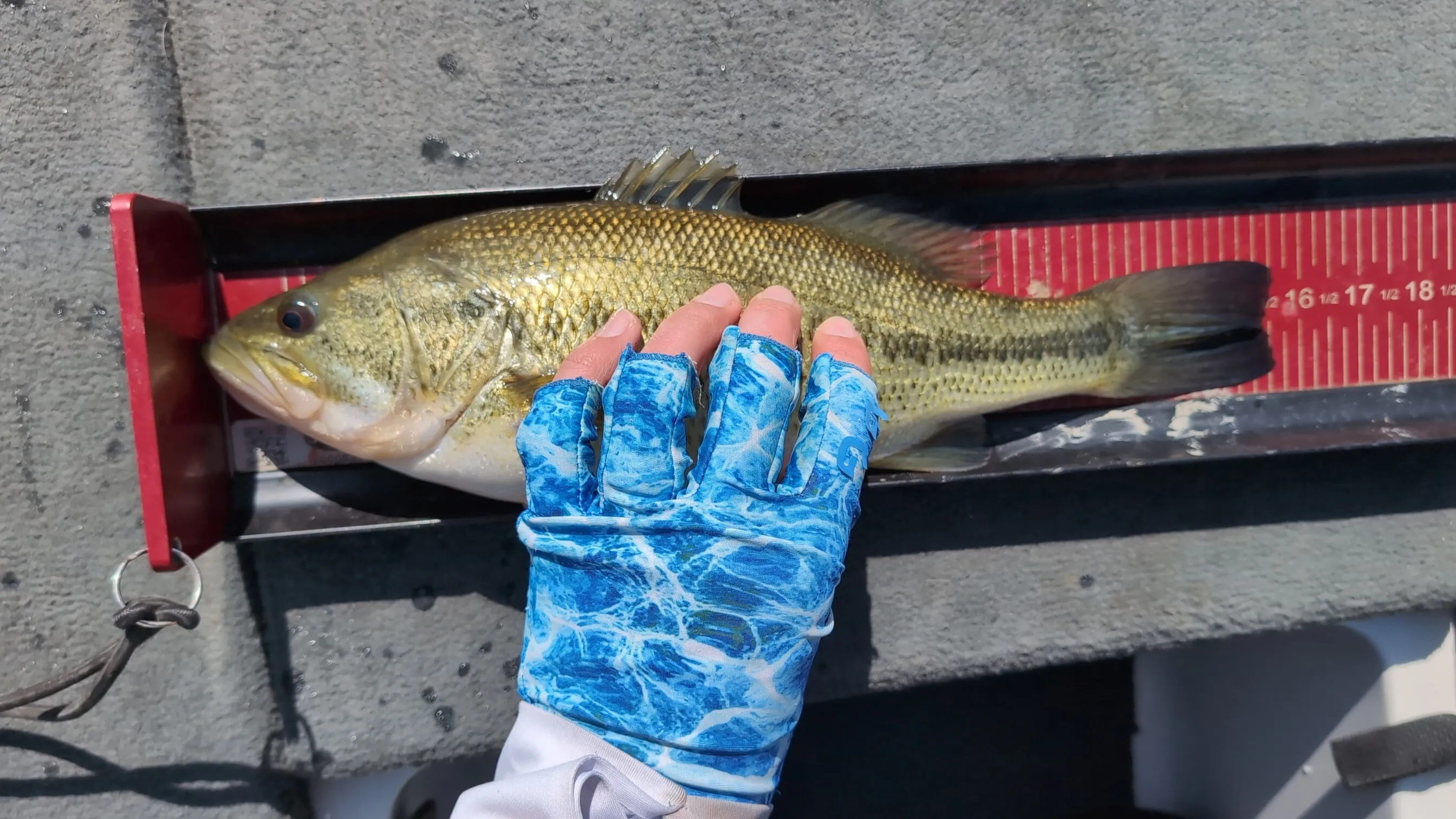
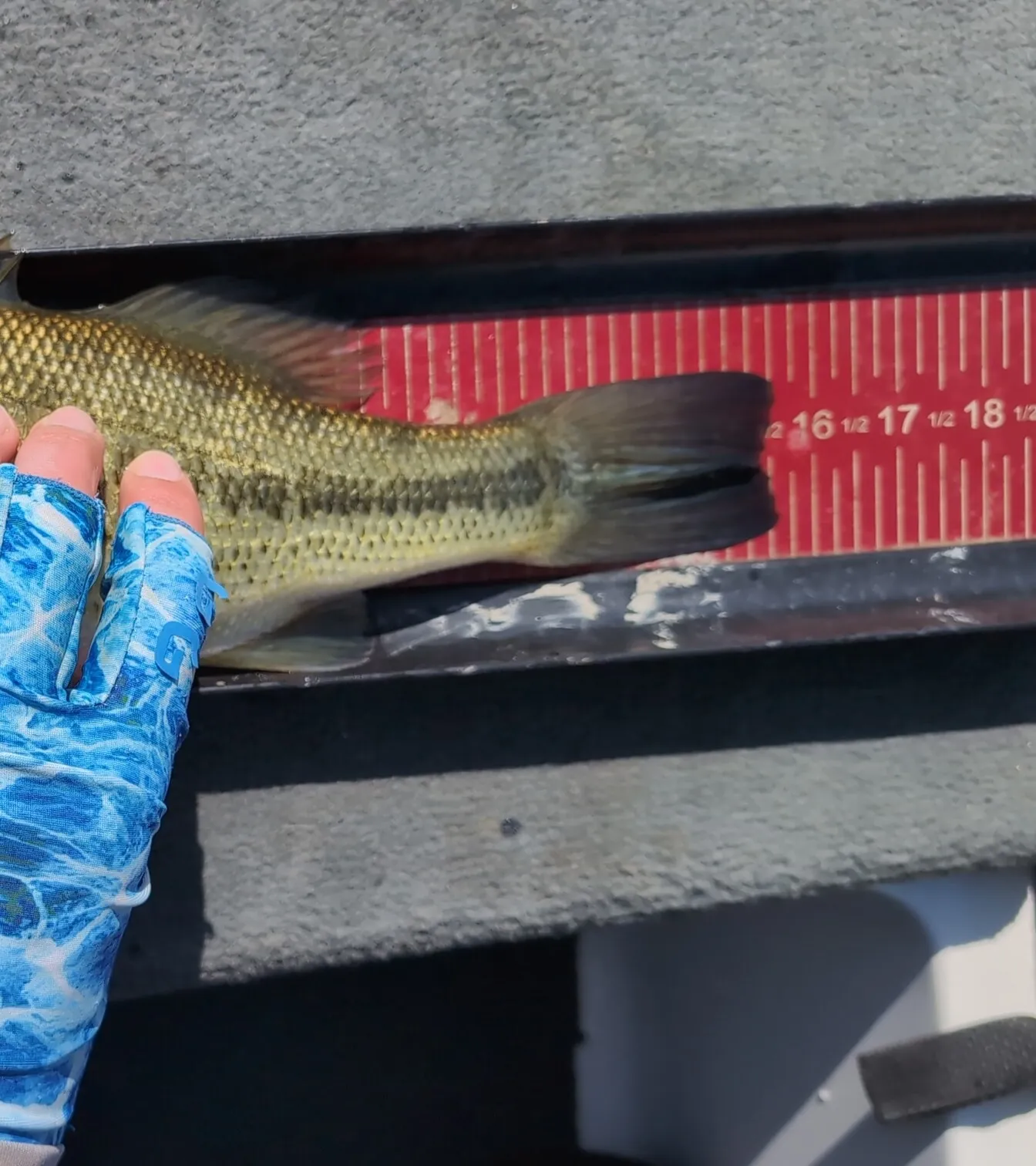
Now take your phone out. Snap a photo and FishBytes suggests the species. Shoot it on your measuring board and the length screen zooms in on the tail, so you can read it right off the board.
Lost it
The ones that got away count. Hold Lost it in the app, or tap Lost Catch on the notification, and it goes in your log as a lost fish, with its spot and how long you had it on.
Either way, you're back to fishing.
Ways to log a fish
iPhone Action Button
iPhone 15 Pro and newer. On iOS 26 the spot and time are saved before you even unlock. Set it up →
Back Tap and Siri
Any iPhone: double-tap the back of the phone, or say “Hey Siri, fish on in FishBytes.” Set it up →
Android
Add the Log Catch tile to Quick Settings, or long-press the FishBytes icon. Set it up →
Flic 2 button
A small, splash-proof Bluetooth button you clip to your hat or life jacket. While a trip is recording, any press logs the fish. Set it up →
Each one logs into the trip you're recording. No trip yet? FishBytes opens so you can start one, except from a Flic 2.
On the kayak
Built from a kayak seat.
FishBytes is made by someone who fishes from a kayak, where your phone is hard to reach and easy to drop. It works just as well from the bank or a boat.
Phone stays dry
Clip a Flic 2 to your life jacket or hat and your phone can stay zipped in a dry bag. A press logs the fish over Bluetooth.
Hands stay on the rod
One press when a fish hits, and the fight timer runs on its own. The photo and the length wait until it's landed.
Every drift, mapped
Your route draws as you paddle or drift, with every catch and every lost fish pinned where it happened. Next week you'll know right where to go back to.
On your phone
Your spots stay yours.
No public feed, no map of other anglers' spots. Nothing you log is posted anywhere, so there's nowhere for your honey hole to get burned.
Your log stays here
Trips, catches, photos and spots are stored on your phone, not on a server. Cloud backup is planned, and using it will be your choice.
Species ID on the phone
Species ID runs right on your phone, so identifying a fish doesn't upload your photo.
No signal needed
Once you've signed in the first time, recording trips, logging catches and species ID all work with no signal. Map imagery loads when you have a connection.
After the trip
Every fish goes in the book.
Trip map
Your route, with every catch and every lost fish pinned where it happened.
Scorecard
Your best 3, 5 or 10 fish, added up in inches the way a kayak tournament scores your day. Narrow it to one species or a few if you like.
Species Index
Every species you've caught, with your biggest, your heaviest, your first, and the ones that got away.
Stats
Hours fished, trips, fish per trip, longest and heaviest. All time, by year, or by month.
Tiers
Every measured fish gets a tier, from Very Common up to Epic, based on how big it is for its species. Reach Master Angler size and it's Epic. The sizes come from Michigan's Master Angler program. See the sizes →
- Very Common
- Common
- Uncommon
- Rare
- Epic
Already have catch photos?
Start with the fish you've already caught.
Choose which photos to bring in, and FishBytes finds the fish in them and builds your trips. You check the species, length and place before anything is saved, and it all happens privately, on your phone.
iPhone
Pick individual photos, a folder in Files, or your whole library.
Android
Pick individual photos or your camera folder.
Finding it
In the welcome tour, and any time under Account › Import Catch Photos.
Who builds it
"Every fishing app I tried either quit without signal or had me typing with a fish in my hand. I wanted everything logged and my phone in my pocket."
Kyle, developer and kayak angler. FishBytes is one person's project, so feedback comes straight to me: use Feature Request or Report an Issue under Account in the app, or email kyle@fishbytes.app.
Questions
Phone down. Fish on.
Free on iPhone and Android. No sign-up needed.